Poster Mockup
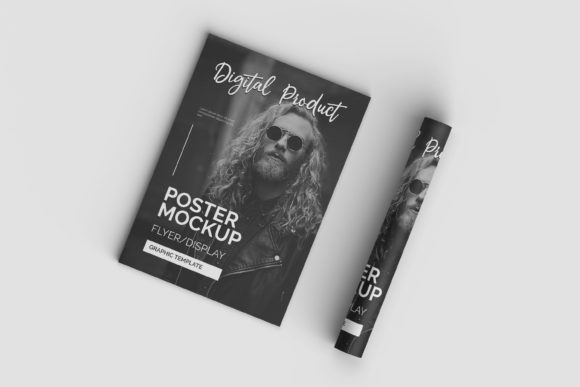
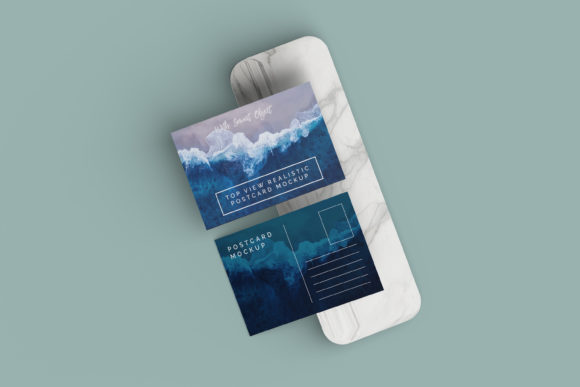
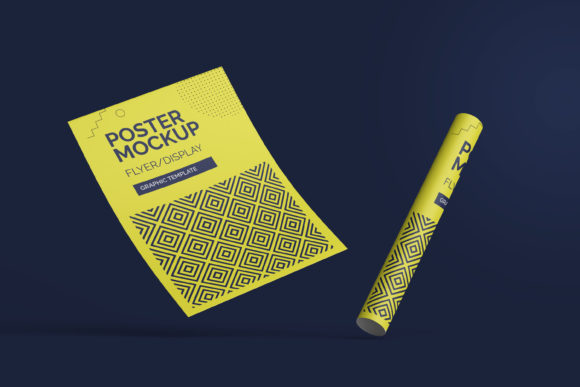
A poster mockup is a digital template that lets you place your own design onto a realistic image of a physical poster—complete with lighting, texture, shadows, and environment. Think of it like slipping your artwork into a real-world frame: a subway wall, a university bulletin board, a café window, or even a gallery wall. It’s not just a flat overlay—it’s a smart visual placeholder that responds to perspective, material, and context so your idea feels grounded, credible, and ready for the world.
When You Need to Show, Not Just Tell
You’ve designed a concert flyer—but sending a flat PNG to a venue manager doesn’t convey how it’ll look taped to their brick exterior. You’ve drafted a workshop announcement for your yoga studio—but your email newsletter needs more than text; it needs atmosphere. That’s where Poster Mockup steps in. It bridges the gap between concept and credibility—not by adding polish, but by adding presence.
Unlike generic stock images or basic Photoshop layers, a well-made Poster Mockup preserves realism: subtle paper grain, soft edge curl, natural light falloff, or even ambient reflections on a laminated surface. These details don’t exist to impress—they exist so your audience spends less time imagining *if* it works and more time reacting to *how* it feels.
Freelancers Pitching With Confidence
A graphic designer sends three logo concepts to a local bakery—and includes a Poster Mockup showing each one printed large and mounted on reclaimed wood behind the counter. The client instantly sees scale, tone, and cohesion with their space. No jargon. No “imagine this…”—just clarity. That single mockup often shortens feedback loops by days, because it answers unspoken questions before they’re asked.
Educators Prepping Visual Learning Tools
A high school science teacher creates an anatomy poster for her classroom wall. Before printing 20 copies, she drops her layout into a classroom wall mockup—complete with dry-erase markers, student stickers, and slight scuff marks near the bottom. She shares it in her staff meeting. Colleagues immediately spot readability issues at a distance, suggest font tweaks, and even volunteer to help adapt it for students with low vision. The mockup didn’t just preview design—it surfaced collaboration.
Small Business Owners Testing Campaigns
A boutique coffee roaster plans a limited-edition bag launch. Instead of guessing how their new poster will perform on Instagram, they drop it into three different Poster Mockup scenes: a sunlit brick wall outside their shop, a chalkboard-style interior sign, and a minimalist white tile background for online ads. They post all three as Stories, track engagement, and discover the brick-wall version gets 2.3× more saves. That insight directly shapes where they invest their next $200 in print runs.
Bloggers & Content Creators Building Trust
An independent productivity coach releases a free “Focus Flow” printable poster. On her blog post, she embeds a mockup showing it pinned beside a tidy desk setup—coffee mug, notebook, natural light. Readers don’t just download—they visualize using it. Comments shift from “Looks nice” to “I printed it yesterday—I’ve already moved my phone off the desk.” The mockup didn’t sell a product; it anchored an idea in daily life.
What to Look For (Beyond the Pretty Preview)
Not all Poster Mockups deliver equal value—and the difference shows up in use, not screenshots. Here’s what matters:
- Smart layer organization: A good mockup gives you clearly labeled, non-destructive Smart Objects in Photoshop—or drag-and-drop slots in Figma or Canva. You shouldn’t need to guess which layer holds your design or spend 20 minutes masking out a shadow.
- Context-appropriate lighting: A poster shown on a dimly lit library wall should look different than one on a sun-drenched festival fence. Look for mockups that match your intended setting—not just “indoor” or “outdoor,” but “warehouse loft with north-facing windows” or “rain-slicked sidewalk at dusk.”
- Realistic material behavior: Paper wrinkles differently than vinyl. Matte finish absorbs light; gloss reflects it. If your mockup makes every surface look like smooth plastic, it’ll undermine authenticity—not enhance it.
- Format flexibility: Need to show your poster on social? Choose mockups that export cleanly at 1080x1350 (Instagram), 1200x628 (Facebook), or 1920x1080 (YouTube thumbnails). Bonus if they include transparent-background versions for easy compositing.
Where It Fits Into Your Workflow—Not Over It
A Poster Mockup isn’t meant to replace design thinking—it supports it. You still choose typography for legibility, pick colors for mood and contrast, and edit copy for clarity. The mockup simply adds one more layer of intentionality: *where will this live, and who will encounter it there?*
That question changes everything. A poster for a community garden event gains warmth when placed on weathered plywood—not sterile white. A tech startup’s hiring poster gains authority when shown on a modern glass lobby wall—not a cluttered bulletin board. The mockup doesn’t change your message—it reveals whether your message lands *where it’s meant to land.*
And it scales quietly. One educator uses the same mockup set across five different units—swapping posters but keeping consistent classroom context. A freelancer reuses a café wall mockup for three clients, adjusting only lighting temperature to match each brand’s vibe. It’s not about repetition—it’s about building a visual language your audience begins to recognize and trust.
Before You Download, Ask Yourself…
• What’s the first thing my viewer needs to believe? (e.g., “This belongs here,” “This is professional,” “This fits my style”)—choose a mockup that affirms that belief instantly.
• Will this be seen on screen or in person? Screen-first mockups prioritize sharpness and contrast; print-focused ones emphasize texture and tonal range.
• Do I need to show multiple sizes or placements? Some kits include close-up, medium, and wide-angle views of the same setting—useful for pitching or A/B testing.
• Is the file actually editable in my tools? Check compatibility: PSD for Photoshop users, .fig for Figma, .afdesign for Affinity, or web-based editors like Photopea if you’re budget-conscious.
At its best, Poster Mockup isn’t about making things look “fancy.” It’s about removing friction between idea and understanding. It’s the quiet nudge that says, “Yes—this works. Here’s where. Here’s how it feels.” And for creators who spend their energy solving real problems—not chasing perfection—that’s not a shortcut. It’s respect—for your time, your audience, and the work itself.