Realistic Coffee Paper Cup Mockup: A Practical Tool for Visualizing Your Brand
Imagine presenting your new coffee brand to a café owner—or pitching a seasonal drink line to your marketing team—without a single physical sample in hand. With a Realistic Coffee Paper Cup Mockup, you can do exactly that: bring your design to life with striking visual accuracy, long before production begins.
What Exactly Is a Realistic Coffee Paper Cup Mockup?
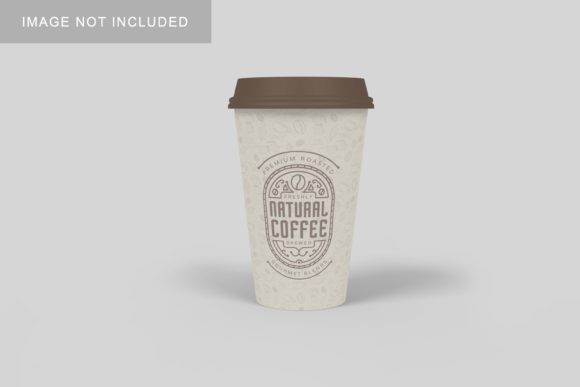
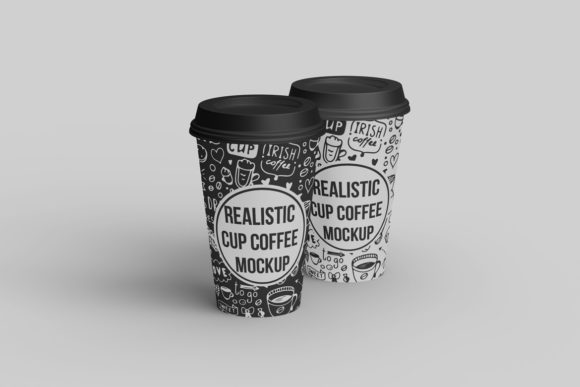
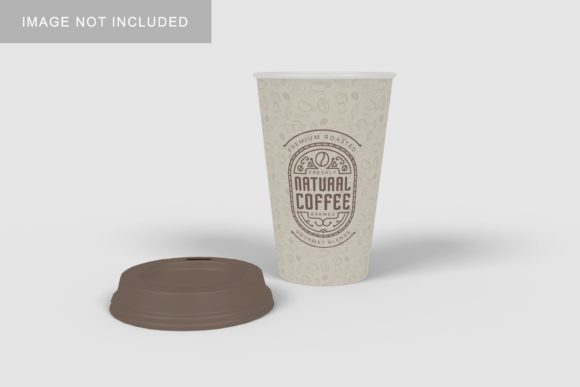
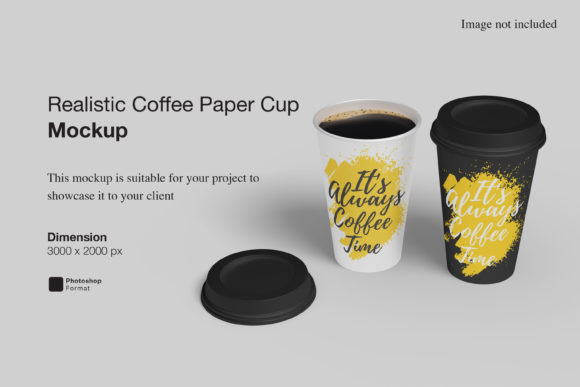
A Realistic Coffee Paper Cup Mockup is a high-fidelity digital template designed to showcase custom artwork on an authentic-looking paper cup. Unlike basic flat mockups or generic 3D renders, this type of file simulates real-world lighting, material texture (like matte kraft paper or glossy white board), subtle creases, steam rising from the rim, and even realistic shadows and reflections.
These mockups are typically built in layered PSD files (for Photoshop users) or editable smart-object formats compatible with tools like Figma, Affinity Photo, or Canva Pro. They’re not just images—they’re interactive canvases where your logo, typography, or pattern replaces placeholder art while preserving depth, perspective, and environmental context.
Why “Realistic” Makes All the Difference
“Realistic” isn’t just marketing language—it’s functional precision. A truly realistic mockup accounts for:
- Material behavior: How ink sits on uncoated kraft versus coated white paper.
- Curvature distortion: How text wraps naturally around the tapered cylinder shape.
- Light interaction: Soft highlights near the rim, gentle shadowing at the base, and ambient occlusion in the handle cutout.
- Contextual details: Condensation droplets, a slight paper grain, or even a faint coffee stain near the lip.
Without these nuances, your presentation risks looking flat, amateurish, or disconnected from how customers will actually experience the product.
Who Benefits Most—and How
The value of a Realistic Coffee Paper Cup Mockup spans far beyond graphic designers. Here’s how different roles use it meaningfully:
Café Owners & Small Roasters
Before committing to a full print run, owners test multiple label concepts side-by-side using the same mockup. One version might feature minimalist typography; another, vibrant botanical illustrations. Seeing both rendered on identical cups—under consistent lighting and angle—makes comparative evaluation fast and intuitive. It also helps anticipate how designs hold up under real conditions: Will light text vanish against a sunlit counter? Does the handle placement interfere with branding visibility?
Marketing Teams & Social Media Managers
Need Instagram-ready visuals for a holiday latte launch? A Realistic Coffee Paper Cup Mockup lets you generate polished lifestyle shots instantly—no studio rental, no barista model, no retakes. Pair it with a simple background photo (a wooden table, marble countertop, or cozy corner) and you’ve got scroll-stopping content in under five minutes.
Freelance Designers & Agencies
Clients often struggle to visualize flat artwork on curved, tactile objects. Presenting three variations inside a Realistic Coffee Paper Cup Mockup builds confidence and reduces revision rounds. Bonus: many premium mockups include alternate views—top-down, angled 45°, overhead steam shot—so you can show versatility without extra effort.
E-commerce Sellers & Print-on-Demand Brands
If you sell custom-printed cups via Shopify or Etsy, mockups serve double duty: as sales assets *and* production references. Buyers trust what they see. A realistic render signals professionalism and attention to detail—critical when competing in saturated markets.
Key Features to Look For
Not all mockups deliver equal realism or flexibility. When evaluating options, prioritize these practical features:
- Smart Object compatibility: Lets you drop in your design with one double-click—no layer masking or manual warping.
- Multipurpose lighting presets: Options for warm indoor light, bright daylight, or moody café ambiance help match your intended use case.
- Handle variants: Some cups have die-cut handles; others use glued-on loops. Choose a mockup matching your actual supplier’s construction.
- Resolution & scale: Minimum 4000×3000 px ensures crisp output for presentations, pitch decks, and large-format prints.
- File format support: PSD remains the gold standard, but modern .fig (Figma) or .afdesign (Affinity) versions are increasingly common—and more accessible for non-Photoshop users.
Real-World Scenarios Where It Shines
Consider these everyday situations where a Realistic Coffee Paper Cup Mockup solves tangible problems:
- Fundraiser planning: A school PTA designs limited-edition cups for a bake sale. Using a mockup, they preview how student-drawn artwork translates onto actual cups—then share the image with parents to drive pre-orders.
- Supplier alignment: A beverage startup sends a mockup + spec sheet to their printer. The visual eliminates ambiguity about bleed area, safe zones, and color placement—reducing misprints and delays.
- Investor pitch deck: Instead of saying “our branding evokes warmth and authenticity,” they show a Realistic Coffee Paper Cup Mockup placed beside a steaming mug and handwritten menu board—telling the story visually, not verbally.
What It Doesn’t Do (And Why That’s Okay)
A Realistic Coffee Paper Cup Mockup is powerful—but it’s not magic. Keep these practical boundaries in mind:
- It won’t replicate exact Pantone matches: Screen colors differ from printed inks. Always request a physical proof from your printer for final color sign-off.
- It doesn’t substitute for structural testing: Mockups show appearance—not durability, lid fit, or insulation performance. Those require physical prototypes.
- It assumes standard cup dimensions: If you’re using a custom size (e.g., 24oz cold brew tumbler), verify the mockup supports scalable proportions—or seek a bespoke version.
Think of it as your visual translator—not your manufacturing partner.
Choosing the Right Mockup for Your Needs
Ask yourself three questions before downloading or purchasing:
- What’s my primary use case? If it’s social media, prioritize lifestyle scenes with natural backgrounds. If it’s client presentations, choose clean studio-style renders with transparent backgrounds.
- What tools do I use daily? A Photoshop-only mockup won’t help if your team works exclusively in Figma. Check compatibility first.
- How much customization do I need? Basic mockups offer one angle and fixed lighting. Premium packs may include 10+ angles, seasonal overlays (snow dusting, autumn leaves), or even animated steam layers for web use.
Start simple. Many free, high-quality Realistic Coffee Paper Cup Mockup options exist for initial exploration. Upgrade only when workflow demands justify it—like needing batch exports or multi-cup scene composition.
Final Thought: Clarity Over Complexity
In a world flooded with visual noise, clarity stands out. A Realistic Coffee Paper Cup Mockup cuts through ambiguity—not by adding flash, but by grounding ideas in believable context. Whether you're sketching your first logo or scaling a national brand, it bridges the gap between imagination and experience. And sometimes, the most effective tool isn’t the flashiest one. It’s the one that helps people truly *see* what you’ve made—and believe it’s already real.