DL Flyer Mockup: A Practical Tool for Presenting Print-Ready Designs
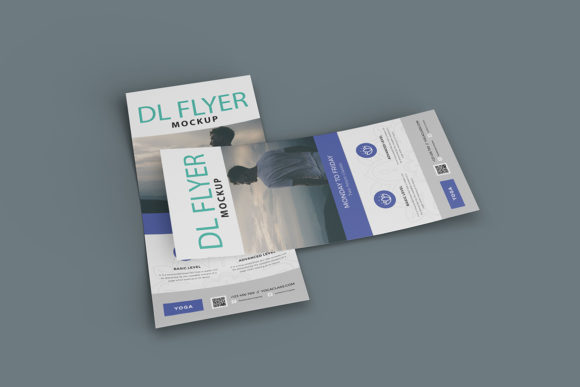
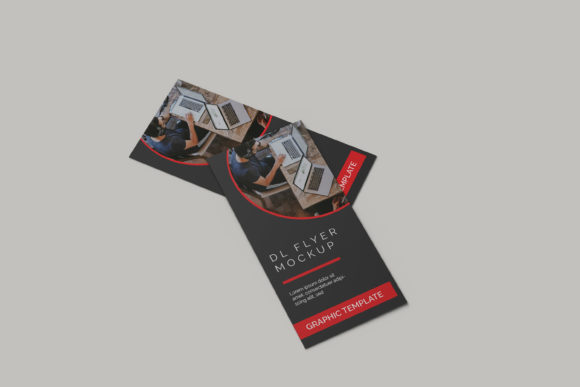
When you’re finalizing a flyer design—whether for a local café promotion, a workshop announcement, or a real estate listing—you need more than a flat PDF. You need context. The DL Flyer Mockup fills that gap: it’s a high-fidelity, layered PSD (or sometimes Sketch/Figma) file that simulates how your design appears on a physical DL-format sheet—99mm × 210mm—set against realistic environments like desks, bulletin boards, or handheld views.
What Sets This Mockup Apart from Generic Templates
Not all mockups deliver consistent realism or workflow efficiency. The DL Flyer Mockup stands out due to its intentional attention to lighting, texture, and perspective fidelity. Most versions include multiple scene variations—e.g., a clean white desk with subtle shadow fall-off, a weathered corkboard with visible pin marks, or a hand-holding variant with natural skin tone and relaxed grip. These aren’t just background images; they’re smart objects with non-destructive layer masks, allowing precise placement of your artwork without distortion or pixelation.
Crucially, the best iterations use real-world photography—not 3D renders—as source material. That means grain, depth-of-field blur, and ambient occlusion behave authentically. When you insert a vibrant gradient or fine typography, the mockup preserves contrast and legibility instead of washing out details under artificial highlights.
Usability in Real Design Workflows
For professionals juggling tight deadlines, usability matters more than polish alone. The DL Flyer Mockup integrates cleanly into standard Adobe Photoshop workflows. Smart object replacement takes two clicks: double-click the placeholder layer, paste or drag your design, save, and the mockup updates automatically. No resizing, no alignment guesswork, no manual blending mode tweaks—unless you choose to refine further.
We tested several widely distributed DL Flyer Mockup files across different vendors and found consistency varied significantly. Top-tier versions maintain CMYK-safe color profiles and embed embedded ICC profiles, which helps designers preview how their spot colors or rich blacks translate visually—even before print. Lower-tier variants often default to sRGB and flatten shadows into baked layers, limiting post-insertion adjustments.
Flexibility Without Compromise
Flexibility here doesn’t mean “endless options”—it means thoughtful variation. A strong DL Flyer Mockup offers three to five distinct scenes, each serving a clear communicative purpose:
- Desk-top view: Ideal for client presentations where professionalism and clarity are central;
- Corkboard or wall mount: Effective for community-based campaigns or educational outreach where context reinforces credibility;
- Hand-held perspective: Adds human scale and immediacy—especially useful for event flyers or service launches;
- Overhead flat-lay: Works well for social media previews or portfolio thumbnails where layout balance is key.
Importantly, none of these rely on complex layer groups or obscure naming conventions. Layer labels are descriptive (“Shadow – Soft”, “Flyer – Smart Object”, “Background – Texture”) and grouped logically. That reduces onboarding time for team members or collaborators unfamiliar with the file.
Who Benefits—and When It Makes Sense to Use It
The DL Flyer Mockup serves specific roles—not every project needs it, but when it does, the impact is tangible.
Freelancers and small agencies use it during proposal stages: embedding a logo refresh or seasonal campaign into a realistic setting builds confidence faster than a bare layout. One designer reported cutting revision rounds by nearly 40% after switching from flat comps to DL Flyer Mockup previews for local retail clients.
Educators and trainers find value in using the mockup as a teaching tool—demonstrating hierarchy, margin discipline, or typographic scale within a tangible format. Because DL is a standard European and UK print size (also common for mailers and brochures), it supports curriculum-aligned examples beyond US Letter assumptions.
Bloggers and content creators repurpose the mockup for tutorial visuals—showing before/after design improvements or illustrating accessibility principles like contrast ratio testing in situ. The inclusion of subtle UI overlays (e.g., optional grid lines or safe-zone guides) adds pedagogical utility without cluttering the base file.
Practical Considerations and Limitations
No mockup replaces proofing—or actual printing. The DL Flyer Mockup simulates appearance, not physical behavior. Paper stock weight, finish (gloss vs. uncoated), ink bleed, and trimming tolerances won’t be reflected. Always order a physical proof if color accuracy or tactile impression is mission-critical.
Also, check licensing terms carefully. Some free DL Flyer Mockup downloads permit personal use only—or require attribution that may conflict with client deliverables. Commercial licenses typically cover unlimited projects and agency use, but rarely extend to resale as part of a template bundle unless explicitly stated.
Another subtle limitation: resolution dependency. While most premium versions ship at 300 PPI at actual size, lower-cost variants sometimes deliver at 150 PPI or scale poorly when enlarged for large-screen presentations. If you regularly present mockups in keynote decks or trade show displays, verify native dimensions before purchase.
Quality Signals Worth Noticing
You don’t need technical specs to assess quality—but knowing what to look for helps avoid rework. Here’s what consistently correlates with reliable performance:
- Layer organization: Consistent grouping, labeled smart objects, and minimal rasterized effects;
- Lighting logic: Highlights and shadows align with a single, plausible light source—not scattered or contradictory;
- Texture integrity: Background surfaces retain detail at zoom (e.g., visible wood grain or fabric weave), not blurry noise;
- File hygiene: No embedded fonts, no missing links, and compatibility notes for Photoshop CC 2020+;
- Documentation: Brief but clear instructions—not just “how to replace,” but tips on matching tone, adjusting ambient light, or exporting for web vs. print review.
Making It Fit Your Workflow—Not the Other Way Around
The strongest use of the DL Flyer Mockup happens when it adapts to your process—not when you contort your process to fit the mockup. For example, some designers batch-export multiple flyer variants into separate mockup scenes, then compile them into a single PDF for client feedback. Others use the hand-held version exclusively for Instagram Stories previews, knowing that vertical framing and gesture cues increase engagement over static flat views.
If you work across platforms, confirm whether your chosen DL Flyer Mockup includes Figma or Sketch equivalents. Native vector support isn’t essential for presentation—but it helps when collaborators need to adjust spacing or swap icons without returning to Photoshop.
Finally, consider longevity. A well-structured mockup file remains usable across years of software updates. We revisited a 2021 DL Flyer Mockup file in Photoshop 2024 and found zero compatibility issues—no missing layers, no deprecated filters. That kind of stability reflects deliberate, future-aware authoring—not just quick asset flipping.