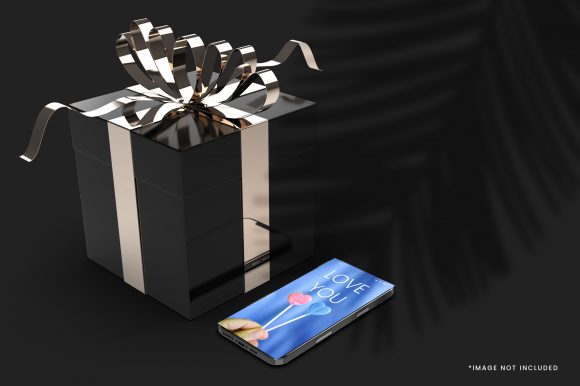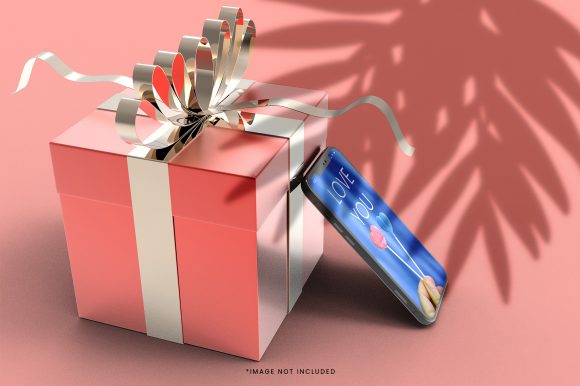
Gift Box with Mobile Phone Mockup
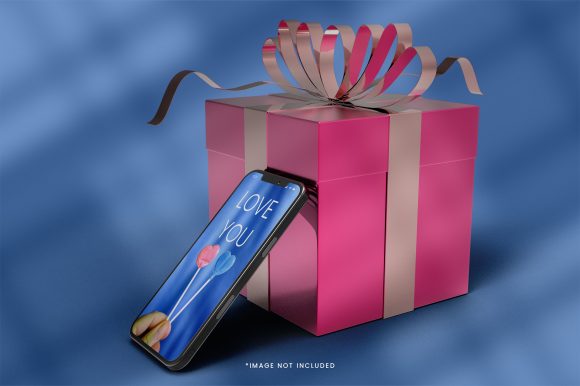
A Gift Box with Mobile Phone Mockup is a digital design asset—typically a layered PSD, PNG, or editable vector file—that visually presents a smartphone screen inside or beside a stylized gift box. It is not a physical product, nor software; rather, it’s a visual tool used to showcase mobile interfaces—such as apps, websites, promotional banners, or UI designs—in a context that evokes gifting, celebration, or premium presentation.
Designers, marketers, and product teams use this mockup to communicate intent and emotional resonance. For example, an e-commerce team launching a holiday app feature might place a festive interface inside the phone screen while positioning it atop a ribbon-wrapped box. The combination signals both functionality (the mobile experience) and sentiment (a gift-worthy offering).
Why Consider a Gift Box with Mobile Phone Mockup?
People explore this type of mockup for several practical reasons:
- Visual storytelling: It helps convey purpose beyond the UI—especially when messaging centers on generosity, personalization, or seasonal campaigns.
- Client or stakeholder alignment: Presenting a design inside a gift-themed context makes abstract concepts like “user delight” or “value delivery” more tangible.
- Marketing asset creation: Teams building social ads, email headers, or landing page visuals often need cohesive, on-brand scenes—not just isolated device frames.
- Portfolio enhancement: Designers seeking to demonstrate contextual awareness may use it to show how their work fits into real-world usage scenarios.
Benefits and Realistic Tradeoffs
The primary benefit lies in narrative efficiency: one image communicates two ideas simultaneously—the digital interface and its symbolic meaning. This saves time in early-stage presentations and reduces reliance on explanatory text.
However, tradeoffs exist. First, flexibility is constrained by the mockup’s fixed perspective, lighting, and styling. A highly realistic gift box with glossy paper and cast shadows may clash with minimalist brand guidelines. Second, customization depth varies: some files allow full control over phone screen content, box texture, shadow intensity, and background color; others offer only limited layer visibility or require advanced Photoshop knowledge to edit effectively.
Also, scalability matters. Low-resolution mockups limit print or large-display use. Even high-DPI assets may not hold up if resized beyond original proportions—especially when the gift box contains fine details like embossed logos or subtle fabric textures.
Key Considerations Before Use
Before selecting or purchasing a Gift Box with Mobile Phone Mockup, evaluate these factors:
- Editing compatibility: Confirm whether the file works with your tools (e.g., Photoshop, Figma via plugins, or Affinity Photo). Not all mockups support non-Adobe editors without conversion steps.
- Resolution and format: Check if the download includes multiple sizes or vector-based elements. PNGs are convenient but less editable than layered PSDs or smart-object-enabled templates.
- Licensing scope: Review usage rights. Some licenses permit commercial client work but restrict resale of derivative mockup images; others prohibit use in templates sold on marketplaces.
- Contextual fidelity: Ask whether the gift box style matches your audience’s expectations. A luxury satin-wrapped box reads differently than a kraft-paper package with twine—each carries distinct connotations around price point, sustainability, or brand voice.
When This Mockup Is a Strong Fit
A Gift Box with Mobile Phone Mockup serves best when your goal is to emphasize emotional or experiential value alongside functional design. It works well for:
- Seasonal campaigns (e.g., “Give the gift of seamless banking” with a finance app interface)
- Subscription service launches (e.g., highlighting a new wellness app as a self-care gift)
- Educational materials showing app-based learning tools as thoughtful classroom resources
- Internal pitch decks where stakeholders need to quickly grasp how a mobile feature supports broader business goals like customer retention or brand differentiation
In these cases, the mockup functions less as decoration and more as a deliberate rhetorical device—bridging interface design and user motivation.
When Alternatives May Be More Appropriate
This mockup is less suitable when clarity, neutrality, or technical precision takes priority over thematic framing. Consider alternatives in these situations:
- Usability testing or wireframing: A clean, unembellished device frame removes visual noise and keeps focus on layout, hierarchy, and interaction flow.
- Technical documentation: Developer handoff or spec sheets benefit from annotated screenshots or code-based previews—not stylized scenes.
- Brand identity systems requiring strict consistency: If your visual language prohibits illustrative or metaphorical elements, a neutral mockup or custom-built scene may better uphold standards.
- Multi-device responsiveness demos: A single gift-box-and-phone composition cannot effectively represent tablet or desktop views. A responsive mockup set—or interactive prototype—offers greater utility.
Making a Practical Decision
To determine whether a Gift Box with Mobile Phone Mockup aligns with your needs, start by clarifying your objective:
- What action should the viewer take after seeing this image? If the answer is “understand the emotional benefit” or “imagine giving or receiving this experience,” the mockup adds value. If the goal is “learn how to navigate the settings menu,” it likely distracts.
- Who is the primary audience? Marketing leads and executives often respond well to contextual visuals. Engineers or QA testers typically prefer stripped-down representations.
- How much time and expertise can you invest in customization? If you need quick results and have access to standard design tools, choose a well-documented, smart-object-based mockup. If you’re comfortable scripting or using advanced masking techniques, more complex files may be viable.
- Is this part of a larger visual system? Audit existing templates, brand guidelines, and past campaign assets. Does the gift-box motif appear elsewhere? Consistency strengthens recognition—but forced repetition weakens impact.
Finally, test assumptions. Insert your interface into two versions—one with the gift box, one without—and compare how each supports your communication goal. Sometimes the simplest representation proves most effective.
Ultimately, a Gift Box with Mobile Phone Mockup is neither universally essential nor inherently outdated. Its usefulness depends entirely on intention, audience, and execution—not on trendiness or technical novelty. When chosen deliberately and applied with attention to context, it becomes a quiet but effective tool in the broader toolkit of digital design communication.