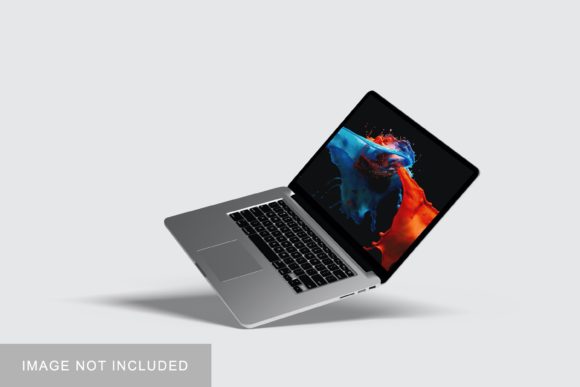
Macbook Pro Mockup V2: A Practical Evaluation for Designers and Presenters
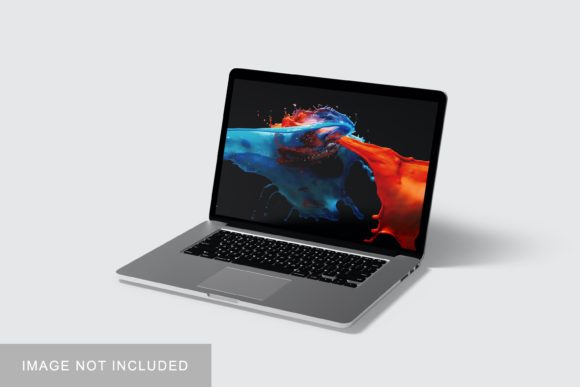
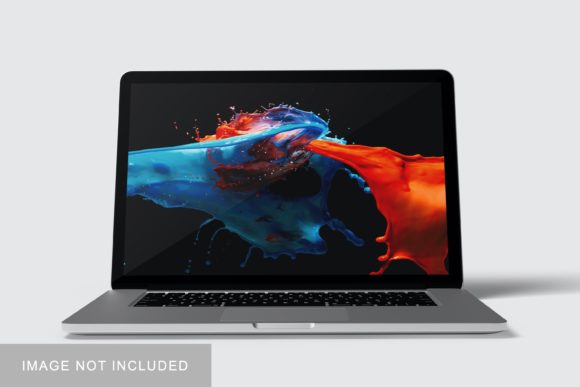
The Macbook Pro Mockup V2 is a digital asset designed to display interface designs, websites, apps, or marketing visuals within a realistic representation of a current-generation MacBook Pro. Unlike generic device mockups, this version typically reflects updated hardware details—such as the refined bezel proportions, notch placement, and aluminum finish—found in recent 14-inch and 16-inch MacBook Pro models. It is not software, nor does it run applications; rather, it is a layered PSD, Figma, Sketch, or PNG file with smart object or layer-based functionality that allows users to insert their own content into the screen area while preserving lighting, shadows, and perspective.
Why Consider the Macbook Pro Mockup V2?
Designers, product managers, marketers, and educators often need to communicate how a digital product appears in context—not just on a blank canvas, but as part of a real-world environment. The Macbook Pro Mockup V2 serves this purpose by offering visual fidelity and consistency across presentations, portfolios, client reviews, or pitch decks. Its relevance increases when targeting audiences familiar with Apple’s ecosystem, where expectations around screen real estate, typography rendering, and UI spacing are more nuanced.
Interest in this mockup tends to arise during specific workflow moments: preparing a case study for a SaaS dashboard redesign, showcasing a responsive web layout during a stakeholder review, or building a cohesive brand presentation that includes device-specific screenshots. It is especially useful when realism matters more than interactivity—such as in static PDF reports, printed pitch materials, or social media previews.
Key Benefits and Realistic Tradeoffs
Benefits include:
- Time efficiency: Replacing manual photo editing or 3D rendering with a pre-built, editable template saves hours per project.
- Consistency: Using the same mockup across multiple screens ensures uniform lighting, angle, and scale—critical for professional-looking deliverables.
- File flexibility: Most versions support common design tools (Figma, Adobe Photoshop, Sketch) and offer both dark and light mode variants to match interface themes.
- Contextual clarity: Showing a dashboard inside a MacBook Pro frame signals desktop-first intent, helping viewers quickly interpret platform priorities.
Tradeoffs to acknowledge:
- No dynamic behavior: The mockup displays only static images. It cannot simulate hover states, transitions, or scrolling—limiting its use for usability testing or interactive prototyping.
- Hardware specificity: Because it mirrors current MacBook Pro dimensions and features, it may not accurately represent older or non-Apple devices. Using it for cross-platform demos without clarification can unintentionally bias perception toward macOS.
- Resolution dependency: Inserted content must match the mockup’s native screen resolution (e.g., 3024×1964 for the 16-inch model) to avoid distortion or pixelation—requiring attention to export settings.
- Limited environmental variation: While some versions include subtle desk textures or ambient shadows, most do not support extensive scene customization (e.g., changing background objects or lighting direction).
When the Macbook Pro Mockup V2 Fits Well
This mockup is a strong fit when your goal is presentation fidelity for desktop-oriented digital work. Examples include:
- Portfolio pieces aimed at tech or enterprise clients who value polished, platform-aware visuals.
- Internal design system documentation where consistent device framing reinforces UI guidelines.
- Marketing assets for B2B software—especially if the target user base primarily works on macOS.
- Educational materials demonstrating responsive design principles, where comparing mobile, tablet, and MacBook Pro views side-by-side adds pedagogical value.
In these cases, the Macbook Pro Mockup V2 supports clarity and credibility—not by exaggerating capability, but by grounding digital work in a recognizable, high-fidelity context.
When Alternatives May Be More Appropriate
If your needs extend beyond static display, other tools may better serve your objectives. For example:
- Interactive prototyping: Tools like Figma’s interactive components, ProtoPie, or Framer allow clickable navigation, state changes, and micro-interactions—capabilities no static mockup provides.
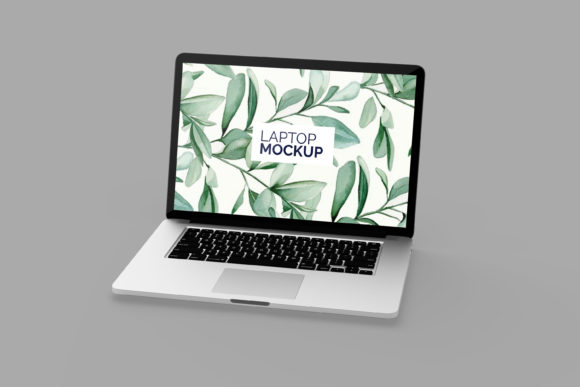
- Cross-platform comparison: If you’re evaluating how an interface adapts across Windows, macOS, and ChromeOS, a unified mockup set (e.g., “Laptop Mockup Bundle” with consistent styling across brands) avoids implying platform preference.
- Real-device testing: When assessing actual performance, touch responsiveness, or font rendering, nothing replaces testing on physical hardware—or browser-based device emulation like Chrome DevTools.
- Custom environments: For branded presentations requiring unique backgrounds, lighting, or multi-device scenes (e.g., MacBook Pro alongside iPhone and iPad), dedicated 3D tools like Blender or specialized mockup generators with scene-building features offer greater control.
Making a Practical Decision
Before selecting the Macbook Pro Mockup V2, ask yourself three questions:
- What is the primary purpose of the visual? If it’s to convey final appearance in a professional setting—like a client handoff or portfolio page—the mockup likely aligns well. If the goal is to test interaction flow or gather feedback on usability, prioritize functional prototypes instead.
- Who is the audience—and what assumptions might they make? Technical stakeholders may recognize the MacBook Pro frame as shorthand for desktop implementation. Less familiar audiences might misinterpret it as indicating exclusive macOS compatibility. Consider adding a brief caption if ambiguity is possible.
- How much time and consistency does this project require? Reusing one high-quality mockup across ten screens is more efficient than manually adjusting ten different templates—even if each alternative offers slightly more flexibility.
Also verify technical compatibility: check whether the file format matches your design tool, whether layers are organized for easy editing, and whether documentation or support is available if adjustments are needed (e.g., changing the screen’s brightness level or removing reflections).
Final Considerations
The Macbook Pro Mockup V2 occupies a specific niche—not as a replacement for testing or coding, but as a communication aid. Its value lies in reducing friction between abstract design and tangible perception. That said, its usefulness depends entirely on alignment with your immediate goals: Are you aiming for speed and polish in presentation? Then it’s a practical choice. Are you exploring behavior, accessibility, or cross-platform adaptation? Then broader or more dynamic tools will better support your process.
Ultimately, the strongest mockup decisions come not from chasing the newest version, but from matching the tool’s strengths to the task at hand—and recognizing when simplicity serves clarity better than complexity.