Laptop Mockup: A Practical Tool for Visual Planning and Communication
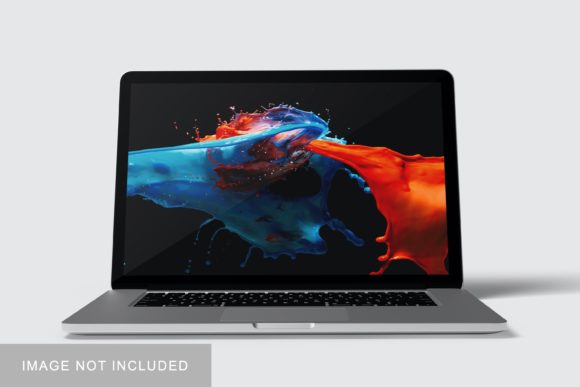
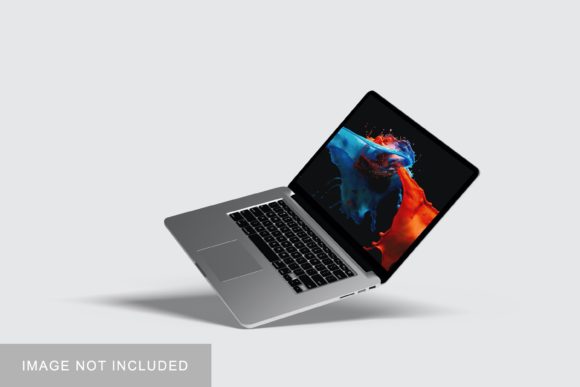
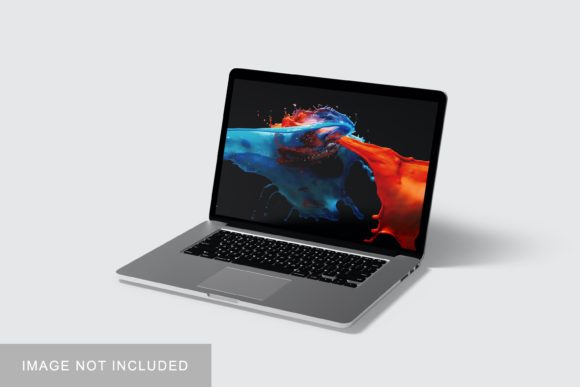
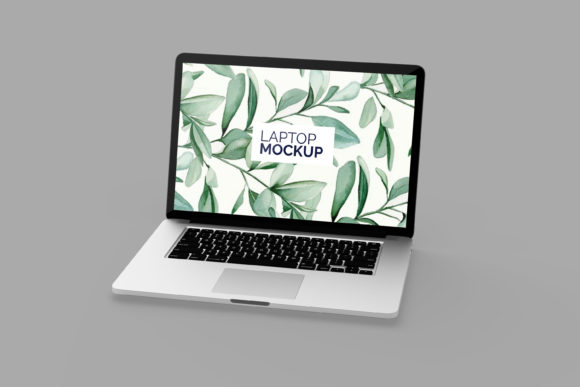
A Laptop Mockup is a digital template or visual representation of a laptop device—typically high-resolution, layered in design software—that allows users to insert their own content (like websites, apps, presentations, or marketing visuals) into a realistic on-screen context. It’s not a functional device or simulation tool; rather, it’s a presentation asset designed to bridge the gap between abstract ideas and tangible perception. Professionals across disciplines use it not to build hardware, but to clarify intent, align stakeholders, test layouts, and communicate outcomes before committing time, budget, or code.
Where Laptop Mockup Fits in Real Workflows
Unlike tools that live exclusively in development or design phases, a Laptop Mockup functions at multiple inflection points: before decisions are finalized, during collaborative refinement, and after delivery—when demonstrating value matters. For instance, a marketer preparing a campaign might drop a landing page wireframe into a Laptop Mockup to assess visual hierarchy and scroll behavior *before* handing off to a developer. An educator designing an online course may place a slide deck preview into a mockup to gauge readability and engagement at typical viewing distances. A freelancer pitching a UI redesign can embed interactive prototypes into a Laptop Mockup to show how the interface lives within a real-world context—not just as isolated screens.
This flexibility stems from its role as a *contextual amplifier*. It doesn’t replace wireframing tools, prototyping platforms, or analytics dashboards—but it layers over them meaningfully. When paired with Figma, Adobe XD, or even PowerPoint, a Laptop Mockup adds environmental fidelity without slowing iteration. It works alongside CMS previews, LMS interfaces, or e-commerce dashboards by offering a consistent frame of reference for how end users will actually encounter the work.
Using Laptop Mockup Before Execution
Pre-execution use is where a Laptop Mockup delivers early clarity. Before writing a single line of copy or coding a component, inserting draft content into a realistic laptop frame helps surface practical concerns: Is text legible at 100% zoom? Does the navigation feel intuitive when constrained to a 13-inch viewport? How does color contrast hold up against a subtle screen glare effect often built into premium mockups?
Small business owners evaluating website builders benefit especially here. Instead of reviewing raw templates in a builder’s dashboard, they can export a homepage preview and drop it into a Laptop Mockup to simulate how customers see it—not as code, but as experience. Similarly, authors preparing a digital workbook or PDF course can preview layout flow and margin balance inside a mockup, catching spacing issues that wouldn’t appear in a print-ready PDF viewer.
Integrating During Iteration and Review
During active development or creative iteration, a Laptop Mockup serves as a shared visual checkpoint. Designers, developers, and clients rarely share identical mental models of responsiveness or interaction. A Laptop Mockup provides a neutral, non-technical artifact for alignment. Rather than debating “how it looks on a MacBook,” teams can point directly to a specific mockup file showing exact font weights, button states, and hover effects rendered in situ.
For educators and trainers, this means embedding live slides or quiz interfaces into a mockup during peer review—making feedback more concrete (“The ‘Submit’ button disappears behind the bottom toolbar on this view”) instead of speculative (“Make buttons more prominent”). Freelancers managing remote clients find this particularly effective: sending a ZIP containing both source files *and* a rendered PNG/JPEG of the Laptop Mockup reduces back-and-forth about context, not content.
Compatibility and File Handling Tips
- Use layered PSD or Sketch files when editing is needed—these allow you to swap smart objects without distorting perspective or lighting.
- Opt for mockups with embedded sRGB color profiles to ensure consistency across monitors, especially when sharing with non-design collaborators.
- Avoid overloading with effects: subtle shadows and screen reflections improve realism, but heavy grain, lens flares, or exaggerated curvature distract from content evaluation.
- Match aspect ratios intentionally: a 16:10 mockup better represents modern ultrabooks than older 16:9 templates if your target audience uses newer devices.
Post-Delivery Applications: Demonstration, Documentation, and Differentiation
After launch or delivery, a Laptop Mockup shifts from planning aid to communication asset. Bloggers embed mockups in case studies to show exactly how a dashboard or tool appears in practice—not just as a screenshot, but as part of a coherent user environment. Publishers use them in sales kits to illustrate how an ebook or interactive report renders on a student’s laptop during study sessions. Small business owners include mockups in investor decks to visualize product usage without requiring live demos or video production.
This stage also supports quality control. Comparing final output side-by-side with pre-launch mockups reveals discrepancies in typography rendering, image scaling, or responsive breakpoints—issues sometimes missed in browser-based testing alone. It’s not about pixel-perfect replication, but about verifying that the intended experience translates reliably across contexts.
Workflow Integration That Feels Natural
Smooth integration starts with intention—not automation. A Laptop Mockup isn’t something you “plug in” to a pipeline; it’s something you reach for when ambiguity creeps in or alignment stalls. Think of it like using a physical whiteboard during a strategy session: not always necessary, but invaluable when ideas need grounding.
Try these low-friction integrations:
- In Notion or Confluence docs: Embed a static mockup next to feature specs to anchor requirements in visual reality.
- In client onboarding checklists: Include a “mockup review” step before sign-off—this surfaces expectations early and avoids late-stage revisions.
- In teaching materials: Show students how their portfolio projects will appear in professional contexts, reinforcing attention to real-world constraints.
- In freelance proposals: Attach one polished mockup per service tier (e.g., “Basic” shows homepage only; “Premium” includes three key user flows) to visually differentiate scope.
Long-Term Use: Consistency Without Overhead
Teams that return to Laptop Mockup regularly do so because it scales with discipline—not complexity. Establishing a small, curated library (three to five high-quality, well-organized mockups covering common devices and orientations) eliminates decision fatigue. Naming conventions matter: laptop-macbook-pro-14in-dark-mode.psd is faster to locate than final-v5-mockup-NEW.psd.
Consistency also extends to usage patterns. If your team uses mockups only for client-facing deliverables but skips internal reviews, you’ll miss opportunities for early feedback. Likewise, rotating through too many mockup styles (glossy, matte, studio-lit, lifestyle) dilutes brand recognition. Choose one primary style—and stick with it across documentation, proposals, and training—so stakeholders begin associating that visual language with your process rigor.
What Makes a Laptop Mockup Effective—Beyond Resolution
Resolution matters, but usability matters more. The best Laptop Mockup assets share three traits: predictable layer structure, clear instructions (even if just a README.txt), and compatibility with widely used software versions. Avoid mockups that require obscure plugins or force rasterization of editable text. Prioritize those with organized layer groups labeled “Screen,” “Shadow,” “Base,” and “Reflection”—not cryptic names like “Layer 7_copy_2.”
Also consider accessibility in your usage: if presenting to stakeholders with visual processing differences, pair mockups with plain-text summaries of layout logic (“Navigation top-left; primary CTA centered below hero image”). The mockup enhances understanding—it shouldn’t become the sole gatekeeper of information.
Ultimately, a Laptop Mockup earns its place in your toolkit not by how many features it has, but by how reliably it shortens the distance between idea and shared understanding. It’s a quiet enabler—not flashy, not autonomous, but consistently useful when applied with purpose and restraint.