Realistic A3 Frame Mockup V1: Your Go-To Tool for Presenting Design Work with Instant Credibility
Imagine sending a client a flat JPEG of your poster design—and then imagine sending the same design nestled in a beautifully lit, softly shadowed A3 frame on a minimalist white wall. Which one makes you look more polished, professional, and production-ready? That’s where Realistic A3 Frame Mockup V1 steps in—not as a flashy gimmick, but as a quiet, practical ally for anyone who presents visual work to real people in real contexts.
What It Actually Is (and What It’s Not)
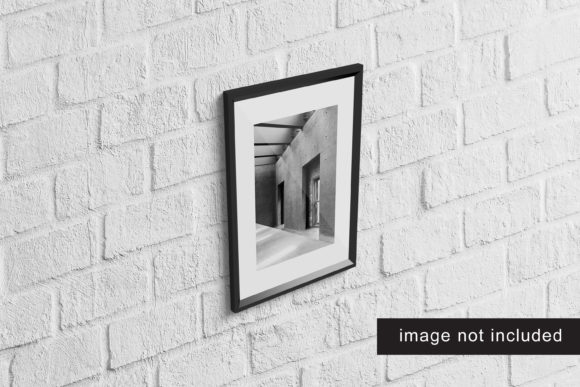
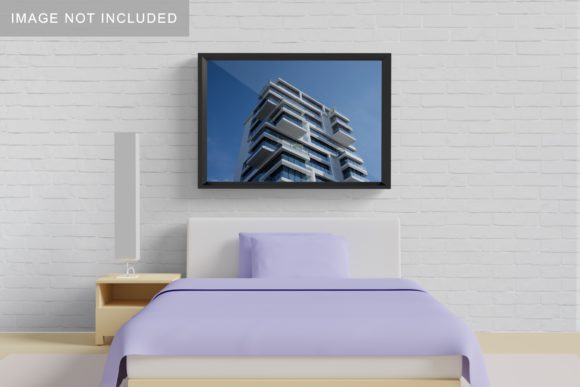
Realistic A3 Frame Mockup V1 is a high-resolution Photoshop (PSD) file designed to simulate how an A3-sized print—like a poster, art print, infographic, or event flyer—looks when mounted inside a clean, contemporary frame and placed in a natural environment. It’s not a 3D renderer or animation tool. It’s not a template builder with endless options. Instead, it’s a carefully crafted, layered PSD with smart objects—meaning you drop your artwork into a designated layer, and it automatically scales and aligns to fit the frame’s visible area. The lighting, depth, subtle reflections, and wall texture are all pre-baked to feel authentic, not generic.
Where It Fits Into Real Workflows
This mockup shines brightest when realism matters more than speed alone—especially when your audience isn’t design-savvy. Here’s where people actually reach for Realistic A3 Frame Mockup V1 day after day:
- Freelance designers pitching printed collateral: You’ve designed a wellness workshop poster for a local yoga studio. Instead of saying “It’ll look great on paper,” you show them a crisp, framed version hanging on a soft grey wall—complete with gentle shadow fall and natural grain. Clients instantly *see* context, scale, and finish—not just color and layout.
- University students submitting final projects: Architecture, graphic design, or fine arts students often need to present physical outputs digitally. Using Realistic A3 Frame Mockup V1, a student can display three different typography explorations—each in its own tasteful frame—on a single mood board slide. Professors respond better to work that feels resolved, not “still in progress.”
- Small business owners updating in-store signage: A café owner wants to preview how a new seasonal menu poster will look beside their chalkboard. With this mockup, they don’t need to print a test copy first. They drop the design in, adjust the wall tone to match their actual interior photo, and share the result with staff for quick feedback.
- Marketing teams building campaign assets: When rolling out a new brand launch, consistency across touchpoints is critical. A team might use Realistic A3 Frame Mockup V1 alongside other mockups (e.g., desktop, mobile, tote bag) to build a unified presentation deck—so stakeholders grasp how the poster lives *alongside* digital ads and packaging, not in isolation.
Who Benefits—and How Their Needs Differ
The beauty of Realistic A3 Frame Mockup V1 is how flexibly it serves distinct goals:
- Designers value its fidelity—they’re often judged on attention to detail, and this mockup delivers realistic light falloff, frame bevel depth, and paper texture interaction. No guesswork about whether white space “breathes” correctly in context.
- Non-designers (like educators, consultants, or startup founders) appreciate its simplicity. There’s no learning curve for perspective grids or lighting sliders—just open, paste, save. It removes friction when you need to look intentional, not technical.
- Agencies and studios use it as part of a consistent brand presentation standard. When every client-facing deliverable includes mockups with the same warmth and restraint, it quietly reinforces quality and cohesion—even before a single word is read.
Practical Things to Keep in Mind Before You Use It
While Realistic A3 Frame Mockup V1 is refreshingly straightforward, a few real-world considerations help you get the most from it:
- Your artwork needs to be A3 size (297 × 420 mm) or scaled proportionally. Stretching or squashing to fill the frame will distort text or imagery. If your original is smaller, enlarge it using “Preserve Details 2.0” in Photoshop—or better yet, design at native A3 resolution from the start.
- It works best with clean, high-contrast designs. Very busy backgrounds or low-contrast palettes can get visually lost against the subtle wall texture. If your design relies heavily on fine gradients or delicate halftones, preview at 100% zoom to ensure clarity.
- The frame style is fixed—no alternate finishes or colors. This is by design: Realistic A3 Frame Mockup V1 prioritizes authenticity over customization. It mimics a specific matte black aluminum frame with a slim profile—not a gallery-style wood frame or a bold neon option. If your project demands stylistic variety, this may not be the right tool for *that particular* use case.
- It’s a PSD file—so you’ll need Adobe Photoshop (CC 2015 or newer). While some users successfully open it in Affinity Photo or Photopea, layer effects and smart object behavior aren’t guaranteed outside Photoshop. No web-based or mobile app version exists.
Strengths That Make It Worth Reaching For
What sets Realistic A3 Frame Mockup V1 apart isn’t novelty—it’s thoughtful execution:
- Natural lighting model: Shadows soften realistically toward the edges, and highlights catch just enough on the frame’s front edge to suggest depth—without looking artificial or over-rendered.
- Smart object integration: You edit your design once, and it updates everywhere—including reflection layers and subtle paper curl effects—so you’re never juggling duplicate layers or manual masks.
- Print-ready output: Exported PNGs or JPGs retain full resolution (300 DPI), making them suitable for client PDFs, printed pitch decks, or even high-res social posts without pixelation.
- No licensing surprises: Most versions include extended commercial rights—you can use it for client work, templates, or digital products you sell, as long as you’re not redistributing the mockup file itself.
When It Might Not Be the Right Fit
That said, Realistic A3 Frame Mockup V1 isn’t magic—and knowing its edges helps you decide faster:
- If you need to show multiple angles (e.g., front + 3/4 view), this is strictly frontal. No rotation or tilt controls.
- If your audience expects ultra-modern or industrial framing (think raw steel or reclaimed wood), the refined minimalism here may feel too subdued.
- If you’re batch-producing dozens of variations daily, the manual PSD workflow—while simple—won’t replace automated tools like mockup generators with API integrations.
In short, Realistic A3 Frame Mockup V1 excels when you want to add quiet confidence to your work—not flash, not complexity, but grounded realism. It’s the difference between showing a sketch and showing something someone can already picture on their wall, in their office, or at their next event. And sometimes, that small shift in perception is exactly what moves a project forward.