What Is a 3D Scanner—and Why It Might Matter to You
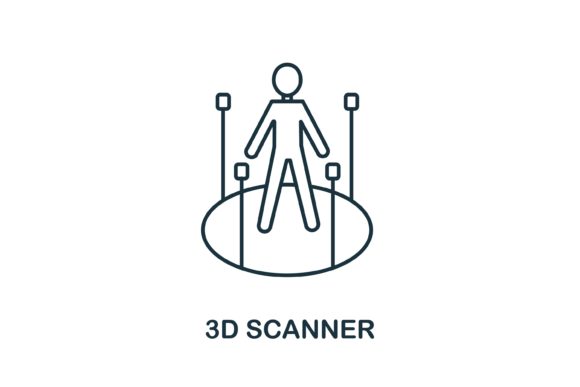
A 3D scanner is a device that captures the shape, size, and surface details of real-world objects or people and converts them into digital 3D models. Unlike a regular camera—which records only color and light from one viewpoint—a 3D scanner measures depth, contours, and spatial relationships using lasers, structured light, photogrammetry, or time-of-flight sensors. The result? A precise, editable, and often printable digital twin.
It’s Not Just for Engineers Anymore
Years ago, 3D scanners lived in labs, metrology departments, or high-end film studios—expensive, bulky, and requiring specialized training. Today, handheld units cost less than a mid-range laptop, smartphone apps can generate rough models from photos, and cloud-based tools simplify editing and sharing. That shift means who uses a 3D scanner has changed dramatically—and so have the reasons why.
For the Curious Beginner
If you’ve never held a 3D scanner before, your first priority is likely simplicity. You want something that works out of the box—no calibration jigs, no driver updates, no jargon-filled manuals. A beginner might scan a favorite coffee mug to see how it looks on screen, then try adjusting its color or scaling it up for a fun 3D print. For this, ease of use and intuitive software matter more than micron-level accuracy. A $200 entry-level scanner with guided workflows and auto-alignment features could be far more valuable than a $5,000 industrial model—even if the latter delivers higher fidelity.
For Educators and Students
In classrooms or maker spaces, a 3D scanner becomes a bridge between abstract concepts and tangible learning. Biology students can scan fossils or bones to examine anatomy in rotation; history classes can digitize artifacts without handling fragile originals; art students can study proportions by scanning busts or hands. Here, reliability, safety (e.g., no laser exposure risk), and integration with free or school-licensed software like MeshLab or Blender are key. Long-term usefulness matters too—tools that grow with students’ skills support deeper exploration over semesters, not just one-off projects.
For Creators and Designers
Independent designers, sculptors, and product developers often use a 3D scanner to capture organic forms—like a handmade clay prototype, a vintage watch gear, or even a client’s custom-fitted wrist brace. They need enough resolution to preserve fine textures and curves, but also flexibility: the ability to merge scans, fill gaps, or export cleanly into CAD or animation pipelines. Speed isn’t always critical—but repeatability is. If a designer scans the same object twice and gets two wildly different meshes, the tool undermines their workflow, no matter how affordable it is.
For Small Business Owners and Freelancers
A local jewelry shop might use a 3D scanner to take impressions of rings for custom sizing—without messy putty molds. A furniture restorer could scan damaged chair legs to replicate them exactly. A marketing freelancer might scan a client’s physical product to build an interactive 3D configurator for their website. For these users, ROI hinges on practical integration: Does it work with tools they already use? Can outputs go straight into Shopify, SketchUp, or Adobe Substance? And does it save time—or create new bottlenecks? A scanner that requires hours of cleanup per scan rarely pays off, even at low upfront cost.
For Hobbyists and Makers
Hobbyists approach 3D scanning with playful curiosity. Some rebuild vintage game controllers, others document family heirlooms, and many dive into cosplay—scanning faces or props to refine armor pieces. Their needs vary widely: one person may prioritize portability (for scanning at conventions), another may value open-source compatibility (to tweak settings or write custom scripts), and a third may care most about texture capture for realistic paint jobs. There’s no single “best” scanner here—only the one that fits how and why they make.
What Trade-Offs Should You Expect?
No 3D scanner excels at everything—and understanding those trade-offs helps avoid mismatched expectations:
- Speed vs. detail: Fast scans often sacrifice resolution or struggle with reflective or dark surfaces. Slower, multi-angle scans yield richer data—but require stable setups and patience.
- Cost vs. capability: Sub-$300 scanners handle basic shapes well but may falter with hair, transparent glass, or intricate lattices. Mid-range ($800–$2,500) models balance quality and usability for serious creators. High-end systems deliver lab-grade precision but demand expertise and space.
- Portability vs. stability: Handheld units let you move around an object—but introduce human error. Tripod-mounted or turntable-based systems improve consistency but limit where and what you can scan.
- Software simplicity vs. control: Consumer apps hide complexity behind one-click buttons—but lock you out of manual mesh repair or coordinate alignment. Pro tools offer granular control but steep learning curves.
Does It Fit Your Goals—Right Now?
Ask yourself three questions before choosing a 3D scanner:
- What will I scan most often? A smooth ceramic vase? A textured stone carving? A person’s face? Surface properties heavily influence which technology works best—structured light struggles with sunlight and shiny finishes; photogrammetry needs good lighting and overlapping angles; laser scanners handle gloss better but may miss fine fabric folds.
- What happens after the scan? Will you 3D print it? Import it into a game engine? Use it for reverse engineering? Each path has preferred file formats (STL, OBJ, PLY, FBX), tolerance requirements, and mesh standards. Knowing your next step prevents wasted effort.
- How much time and confidence do I have to learn? Some scanners ship with tutorials, community forums, and responsive support. Others assume fluency in terms like “point cloud registration” or “mesh decimation.” Match the learning curve to your available time—not your ambition.
None of this means you need to master every nuance before starting. Many educators begin with free photogrammetry apps and upgrade only when student projects demand more. Freelancers test rental units before investing. Hobbyists borrow gear from local libraries or makerspaces. The goal isn’t perfection—it’s progress aligned with your real-world context.
Whether you’re preserving memories, launching a product line, teaching spatial reasoning, or simply exploring how light and geometry interact, a 3D scanner opens doors that weren’t accessible a decade ago. What matters most isn’t owning the most advanced tool—but finding the one that helps you move forward, clearly and confidently.