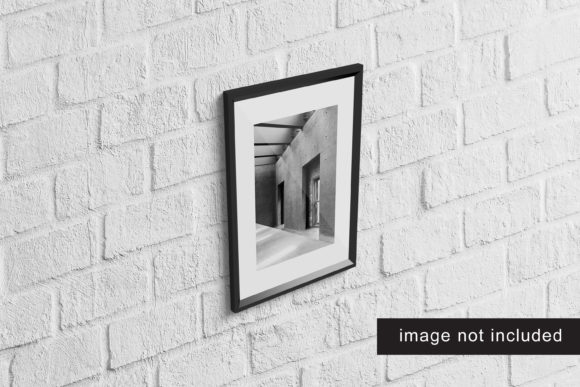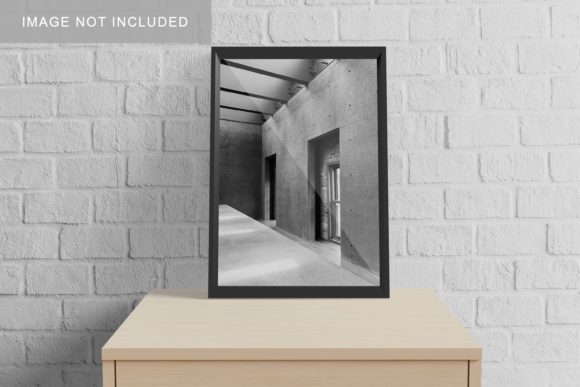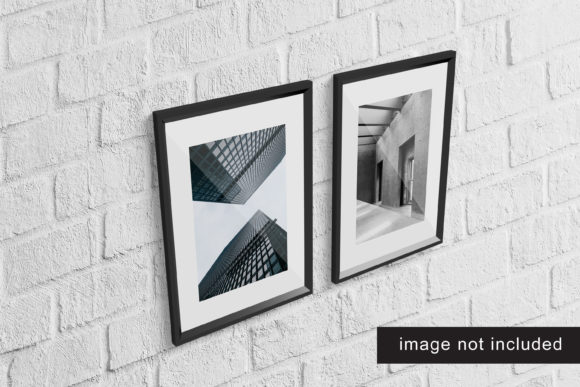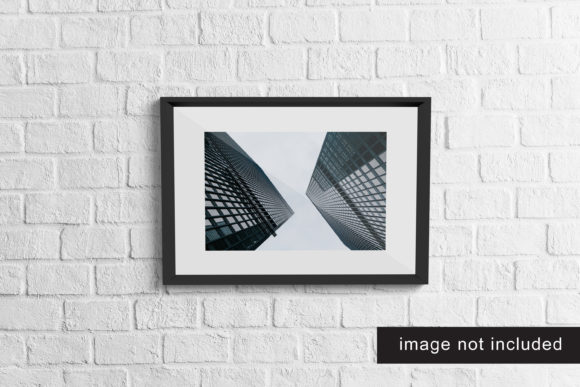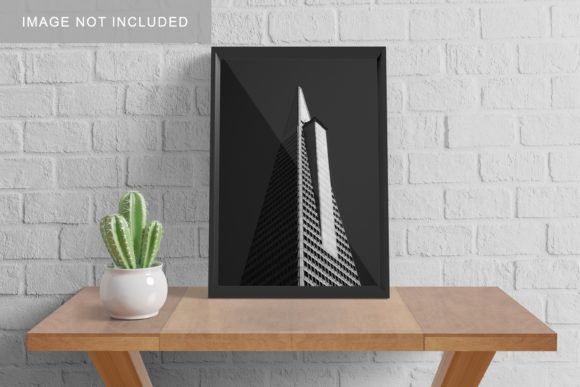
Realistic A3 Frame Mockup V4
Realistic A3 Frame Mockup V4 is a high-fidelity, layered PSD and smart-object-enabled design resource that renders printed A3 artwork—posters, presentations, reports, infographics, or visual plans—as if displayed in a physical, contemporary frame. It’s not just a static image; it’s a production-ready tool built for precision, consistency, and speed when presenting or validating visual work at real-world scale.
This version improves on earlier iterations with refined lighting, deeper depth-of-field simulation, subtle shadow gradients, and enhanced material texture (matte black aluminum frame, off-white mount, and soft-focus background). More importantly, it supports non-destructive editing: drop your A3-sized design into the smart object layer, and the mockup automatically preserves aspect ratio, alignment, and perspective fidelity—no manual warping or opacity tweaks needed.
Where It Fits in Your Workflow
Realistic A3 Frame Mockup V4 isn’t a standalone artifact—it’s a connective tissue between creation and communication. It bridges the gap between digital drafting and tangible outcomes, whether you’re preparing a client pitch, refining an internal strategy document, or documenting a workshop output. Its value emerges most clearly when you consider timing: it’s useful before final print, during stakeholder review, and even after delivery as part of a polished portfolio or case study.
Before printing, it helps you catch layout issues invisible on screen: margins that vanish near the edge, text legibility at arm’s length, or color contrast under ambient light. During collaborative review, it shifts feedback from abstract (“make the title bigger”) to contextual (“the headline feels distant—can we increase font weight or reduce top margin?”). After execution, it transforms flat PDFs or JPEGs into credible, human-scale representations—ideal for social proof, grant applications, or internal knowledge sharing.
Integration With Other Tools and Methods
You’ll rarely use Realistic A3 Frame Mockup V4 in isolation. It works best when paired with tools you already rely on:
- Design platforms: Export clean A3 artboards from Figma, Adobe Illustrator, or Affinity Designer at 300 PPI, RGB or CMYK—then paste directly into the mockup’s smart object. No resizing, no guesswork.
- Project management: Embed rendered mockups into Notion or ClickUp task cards to visualize deliverables before development begins—especially helpful for marketing campaigns or event signage rollouts.
- Strategy frameworks: When applying A3 thinking (a lean problem-solving method), this mockup gives structure to the final report. Stakeholders see not just logic flow, but how the analysis will be physically presented and consumed.
- Learning & facilitation: Educators and trainers use it to preview workshop handouts or visual summaries. Seeing content framed changes how participants anticipate engagement—making pre-session prep more intentional.
It also complements asset libraries and brand systems. If your organization maintains a design system with approved typography, spacing, and color palettes, the mockup becomes a validation layer: does your branded poster hold up in context? Does hierarchy survive translation to physical scale? That question gets answered faster—and more convincingly—when viewed through Realistic A3 Frame Mockup V4.
Practical Implementation Tips
Start simple. Open the PSD, double-click the smart object thumbnail, paste your A3 artwork, save, and close. That’s enough for 80% of use cases. But for consistent, scalable results, adopt these habits:
- Name layers meaningfully: Rename the smart object layer to reflect content type and date (e.g., “Q3-Strategy-Poster-20240612”). This prevents confusion when managing dozens of variants across projects.
- Batch-render variations: Use Photoshop Actions to automate exports for different backgrounds (light studio, dark wall, wood surface) or frame finishes (if using extended versions). One click generates all assets needed for stakeholder options.
- Standardize export settings: Save presets for web (sRGB, 1200px wide, medium quality) and print (CMYK, 300 PPI, TIFF) to avoid last-minute conversions before client handoff.
- Keep source files organized: Store the original Realistic A3 Frame Mockup V4 PSD in a “Templates” folder—not inside project directories. Link instead of embed to ensure updates propagate cleanly across future work.
Also consider compatibility upfront. The mockup requires Photoshop CC 2019 or later. If you work in Affinity Photo or Figma, you’ll need to export flattened PNGs first—losing smart-object flexibility. For teams using multiple editors, designate one person as the “mockup steward” who handles final rendering and version control.
Quality Control and Long-Term Use
Consistency matters more than novelty. Over time, repeated use of Realistic A3 Frame Mockup V4 builds visual continuity across your outputs—whether you’re a freelance designer delivering monthly reports or a university department publishing annual learning outcomes. That consistency signals professionalism and attention to detail, especially when audiences compare materials side by side.
To sustain quality over months or years:
- Archive rendered mockups with metadata: include project name, date, purpose, and approval status in file names or sidecar TXT files.
- Review your library quarterly: retire outdated versions, consolidate duplicates, and tag files by use case (e.g., “client-presentation”, “internal-review”, “portfolio”).
- Document small customizations—like adding a subtle watermark layer or adjusting ambient light intensity for specific venues—in a shared team note. That avoids redundant experimentation.
One often-overlooked factor is accessibility. When sharing mockups externally, always accompany them with a plain-text summary: describe layout structure, key visual elements, and intended reading flow. A realistic frame doesn’t replace clarity—it enhances it, provided the underlying content remains legible and logically ordered.
Use Cases Across Roles
A marketer launching a local campaign might use Realistic A3 Frame Mockup V4 to preview how a neighborhood poster reads from 2 meters away—testing headline size against real-world viewing distance. An educator building a classroom anchor chart can simulate wall placement to confirm icon labels remain decipherable under fluorescent light. A startup founder preparing investor materials uses it to rehearse narrative pacing: does the visual story unfold left-to-right in a way that supports spoken explanation?
Freelancers benefit from its speed when responding to RFPs: embedding three concept variations into the same mockup file demonstrates range without requiring full design execution. Small business owners use it to validate signage before ordering vinyl—catching alignment errors or unintended cropping early. Even hobbyists planning gallery shows find it valuable: visualizing how a series of prints interacts in shared framing style helps refine sequencing and spacing long before installation day.
The common thread isn’t aesthetics—it’s intentionality. Realistic A3 Frame Mockup V4 supports decisions grounded in context, not assumptions. It asks: *How will this be seen? Where? By whom? Under what conditions?* Answering those questions early reduces rework, strengthens alignment, and elevates perceived credibility—without demanding extra hours or specialized training.
Moving Beyond the Mockup
Eventually, you’ll reach a point where the mockup fades into the background of your process—not because it’s obsolete, but because it’s reliable. You stop thinking about “using Realistic A3 Frame Mockup V4” and start thinking about how your message lands in space. That shift signals maturity in your workflow: tools recede, outcomes sharpen.
When that happens, revisit your earliest mockups. Compare them to recent ones. Look for patterns—not just in visual choices, but in how quickly feedback crystallizes, how confidently stakeholders approve, or how smoothly printed versions match expectations. Those are the quiet metrics of integration: less friction, fewer surprises, more trust.
Realistic A3 Frame Mockup V4 doesn’t replace judgment or craft. It sharpens both—by making consequences visible, earlier, and more collaboratively.